

Amazon Vine program is Amazon’s private reviewer program, and the “Amazon Vine login” isn’t really a different account. Instead, it’s your normal Amazon login granting access to a private dashboard if you’re eligible. This article explains exactly how to sign in, where to find the official login page, why some users are denied access, and how to fix common problems. This guide should help current Vine Voices as well as non-voices who are simply curious if they are eligible to join. We’ll even cover how to resolve the issues if you’re being denied access to an account that should already have access. Only reviewers who have been invited to the Amazon Vine program will be able to log in.
What Is Amazon Vine?
Amazon Vine recruits reviewers (“Vine Voices”) they consider trustworthy to review new and prerelease products sold by registered sellers. In exchange for writing reviews, Vine Voices receive these products for free. Amazon does not dictate or edit Vine reviews, which are clearly marked with a green “Vine Customer Review of Free Product” badge.
Vine was designed to help new products generate reviews quickly so that other customers can make better informed decisions about whether or not to buy them. Sellers can choose which products they would like to enroll in Vine, and Amazon then sends these products to the selected reviewers. Typically eligible products are new products with fewer than 30 reviews.
The only difference between an Amazon customer and a Vine Voice is access. All Amazon customers can access Amazon products, purchase them, and write reviews for purchases they have made. Vine Voices can access a dashboard that displays products they can request for free, as well as due dates for writing their reviews and will keep them updated on their submission status, but Vine Voices must be invited by Amazon first.
A few things worth remembering about the program:
- It’s invitation-only. You cannot sign yourself up.
- Reviews must be honest. Positive or negative, feedback stays on the listing.
- There’s no application form, at least under current policy, Amazon reserves the right to change this in the future.
Amazon Vine Login
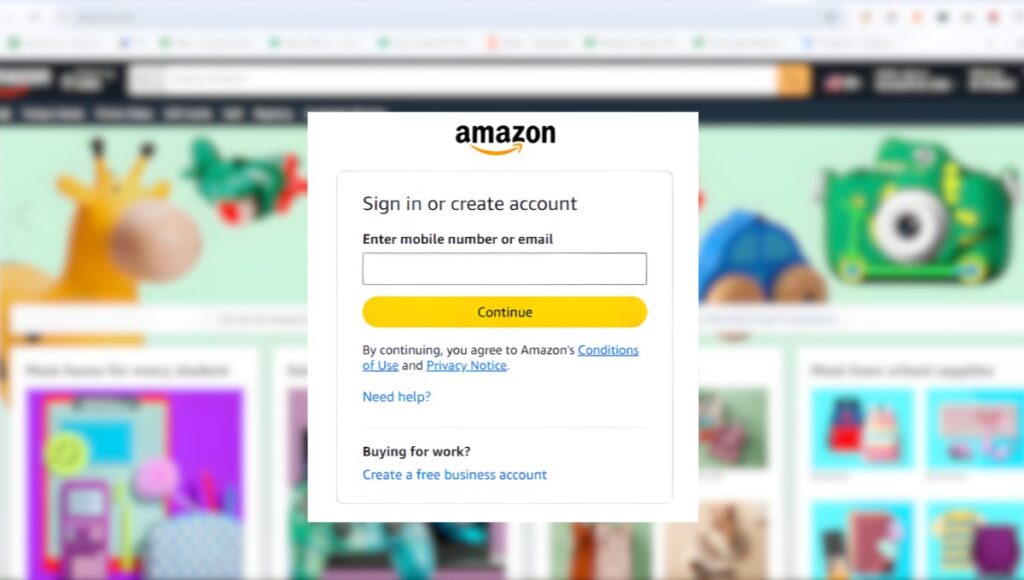
You do not need a separate username or password to log into Amazon Vine. You will use your existing Amazon login information. The steps below illustrate the process:
- Go to Amazon website or whatever website your country’s Amazon storefront is located at.
- Sign into your Amazon account using your email address and password. This is the same process you would go through if you were shopping for products.
- Go to Amazon Vine by either clicking on the link that Amazon sent you in the invitation email or going to the Vine portal itself.
- View the available products on your homepage.
- Become familiar with your Vine dashboard. This will show you how many requests you can make, orders you’ve placed and when you can submit your reviews by.
A couple of details worth keeping in mind:
- Your Vine login always works with your existing Amazon credentials, there’s no separate Vine password to remember.
- You must have an active invitation tied to your account. Without one, the portal will redirect you or show an error page, even if your regular Amazon login works fine.
Official Amazon Vine Login URL
Always sign in through Amazon’s own website rather than a link from an email, ad, or third-party blog claiming to be a “Vine login portal.” Amazon Vine can be reached directly through the Vine subdomain on Amazon’s site, or via the invitation link sent to your registered email address.
A few safety notes:
- Stick to Amazon’s official domain. Never enter your Amazon credentials on a third-party or lookalike site.
- Avoid unofficial “Vine login” pages that appear in search results or social media promising guaranteed access. Amazon Vine has no such shortcuts.
- Regional differences matter. Amazon Vine operates on a per-marketplace basis, so a login through amazon.com won’t grant access if your invitation was issued through amazon.co.uk, amazon.ca, or another regional site. Always use the marketplace tied to your invitation.
Amazon Vine Login Requirements
To successfully access Amazon Vine, you’ll generally need:
- An active Amazon account in good standing.
- An invitation from Amazon: this is non-negotiable, as the program is not open for self-enrollment.
- An eligible marketplace: your account must be registered in a country where Vine currently operates.
- Good reviewer standing: a history of genuine, helpful reviews and reasonable account activity, since this is generally what Amazon’s system looks at before extending invitations.
- Basic account security: a verified email/phone number and, ideally, two-step verification enabled, since Vine access sits behind your normal Amazon login security.
Why Can’t I Log In?
If you’re running into trouble accessing Vine, the cause is usually one of the following:
- Account Not Invited: This is by far the most frequent cause. Amazon Vine is not open to the general public. Just because you have an Amazon account does not mean you will automatically be accepted. If you have never been invited to Vine, you will get an error message or be redirected if you try to navigate to the Vine review dashboard.
- Wrong Amazon Marketplace: When you’re invited to Vine, you’re invited for a particular country’s Amazon marketplace. So if you created your Amazon account in the UK, but got invited to Vine as a US reviewer, you will not be able to access the Vine reviewer’s dashboard by logging into the UK Amazon with that email. Amazon has separate databases for each regional site.
- Incorrect Password: Sometimes it really is that simple. Double-check for typos, caps lock, or an outdated saved password in your browser before assuming there’s a deeper issue.
- Two-Step Verification: If you’ve enabled two-step verification for your account (which is encouraged), you’ll need to enter a special code that Amazon sends you whenever you log into your account. These don’t always show up right away, so make sure to check your email spam folder, and that your email and phone number are up-to-date.
- Browser Problems: Old cookies, a crowded cache, aggressive browser extensions, or using an unsupported browser can cause issues with logging in, or cause the Vine review dashboard to load improperly.
- Server Issues: Occasionally, the problem isn’t on your end at all, Amazon experiences temporary outages or maintenance windows like any large platform. If login fails across multiple devices and browsers, this may be the cause.
How to Fix Amazon Vine Login Problems
| Problem | Solution |
| Invitation missing | Confirm your eligibility and check your email (including spam) for an invitation |
| Account locked | Contact Amazon Customer Service for account recovery |
| Password incorrect | Reset your password through Amazon’s “Forgot Password” flow |
| Wrong marketplace | Log in through the exact Amazon domain your invitation was issued on |
| Page won’t load | Clear your browser cache and cookies, or try an incognito window |
| Persistent errors | Try a different browser or device, and disable extensions temporarily |
| Two-factor issue | Verify your registered phone number or email is up to date |
How to Join Amazon Vine
There is no button to click or form to submit to apply to become a Vine Voice. Invitations are extended by Amazon through an internal process that is mostly automated and takes into consideration:
- A history of writing helpful reviews: Detailed reviews that are balanced (not all 5 star reviews or all 1 star reviews) will help you stand out.
- A reviewer profile with a history of activity and reviews that other customers have identified as helpful.
- Longevity of your account and history of legitimate purchases from the platform.
Keep in mind that there is no magic formula for receiving an invitation, writing more reviews does not necessarily increase your chances and Amazon has no obligation to publish their specific criteria. As of this writing, there is no form available to the public should you wish to apply. If that changes, we will announce it here.
Amazon Vine Dashboard Overview
Once you’ve logged in with an active invitation, the Vine dashboard typically includes:
- Available products: items from enrolled sellers that you can request.
- Review deadlines: the window you have to submit a review after receiving a product.
- Orders: a list of items you’ve claimed and their shipping status.
- Account section: your Vine-specific profile and standing information.
- Tax information: where applicable, since products received through Vine can carry tax implications depending on your country’s rules (see below).
- Review status: tracking for drafts, submissions, and published reviews.
Amazon Vine Login on Mobile
You can access Vine through a mobile browser using the credentials that you would normally use to access your Amazon account from a desktop. Here are a couple practical tips from members that have tried logging into Vine via mobile:
- Access through your mobile browser DOES work. Some users have noted that the Vine dashboard looks a bit sloppy or unfinished when accessed via mobile browser though.
- The Vine experience through the Amazon app does not appear to offer users access to the full Vine dashboard like you can in a browser. For reading program terms, etc., accessing your account through a desktop browser may be easier.
- Recommended best practices for accessing Vine through mobile include keeping your app/browser updated, not using public Wi-Fi to login, and bookmarking the official link vs searching for it each time.
Amazon Vine Security Tips
Since Vine login access is through your primary Amazon login account, many of the security practices you would normally take with online shopping and payment information will apply here too:
- Do not provide your password to anyone. Vine invitations cannot be guaranteed to anyone.
- Enable the 2-factor authentication setting.
- Make sure you are on an official Amazon website before you input your login information (don’t enter your password into sites linked in ads or emails).
- Be aware of phishing emails that may appear to be vine invitations in order to gain your login information.
- Always logout of your account if you’re on a shared/computer that others have access to.
Conclusion
Amazon Vine is an invitation only program, there is no enrollment form on Amazon’s website. Simply having an Amazon account does not qualify you to join. Once you’ve been invited to join, signing in to Amazon Vine is easy. You use your Amazon login information to navigate to the Amazon Vine portal. Most issues with logging in can be attributed to one of several causes: You may not have been invited to join, you may be visiting the wrong Amazon marketplace, your password may be incorrect, or experiencing browser related issues. Correcting these issues is easy. If you are interested in becoming a Vine Voice, continue to leave honest, helpful reviews and with time you should receive an invitation to join. Whether you are an Amazon Vine member or trying to become one, as long as you use the official Amazon website, your membership should remain secure.
FAQs
A1. It’s the same Amazon sign-in you already use for shopping, there’s no separate Vine account. Once signed in, invited users are directed to the Vine dashboard.
A2. Anyone can technically visit the login page, but only accounts that have received an official invitation can access the actual Vine dashboard and products.
A3. This almost always means your account hasn’t been invited to the program yet, or you’re signed into the wrong regional marketplace for your invitation.
A3. Use Amazon’s standard “Forgot Password” option on the sign-in page, there’s no separate Vine password to reset.
A4. Yes. Amazon Vine login uses your existing Amazon credentials; there’s no need to create a new account.
A5. Yes, for reviewers. Vine Voices receive products at no cost in exchange for honest reviews. (Sellers who enroll products, on the other hand, may be charged an enrollment fee depending on how many units they submit.)
A7. There isn’t a dedicated standalone Vine app; access runs through Amazon’s website (and to a lesser extent, the regular Amazon app), using your normal Amazon login.
Also Read: SkillCircle best d Review 2026: Courses, Fees, Placements & Digital Marketing Training Guide

